
Troubleshooting a Laminator That's Not Heating: A Professional Guide
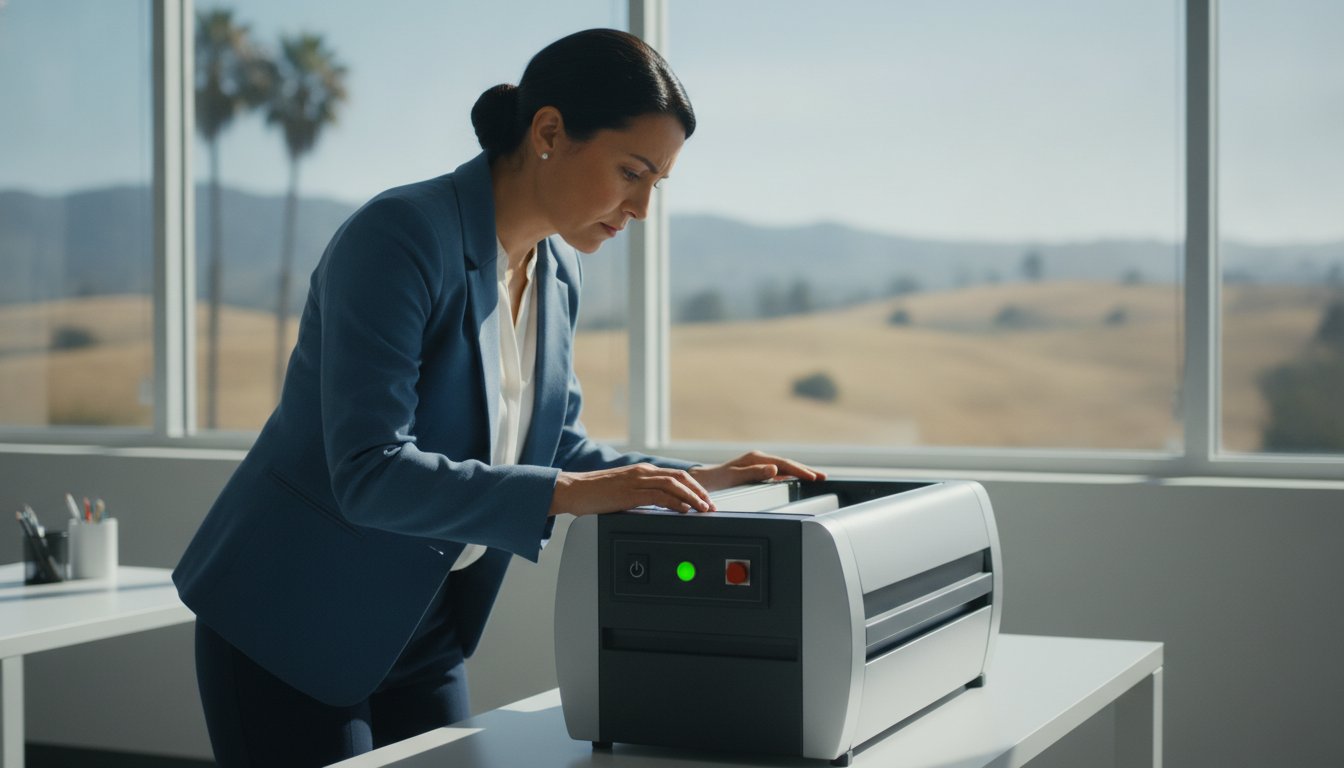
You have a stack of presentation materials ready for a high-stakes meeting, but when you flip the switch on your laminating machine, the rollers stay cold and the "ready" light never flickers to green. It's a frustrating bottleneck that can stall your entire professional workflow, especially when the quality of your final document is a direct reflection of your brand's attention to detail. If you find yourself troubleshooting a laminator that's not heating, you're likely wondering if your equipment has reached its end of life or if there's a simple fix to get things moving again.
This guide will help you identify why your laminator isn't getting hot and provide the steps to restore your professional document finishing workflow. We'll walk through the most common causes for heat failure, from blown thermal fuses to faulty heating elements. We also examine the financial logic of repairing high-end equipment versus replacing entry-level models. By the end, you'll have a clear understanding of the fault, a path toward a working laminator, and the knowledge of when it's time to call a specialist in San Diego for a professional assessment.
Key Takeaways
- Verify power integrity and understand the specific warm-up requirements for high-capacity models to rule out simple configuration errors.
- Identify the mechanical differences between pouch and roll laminator heating systems to pinpoint exactly where the thermal failure occurs.
- Gain a technical edge in troubleshooting a laminator that's not heating by recognizing the critical role of safety "fail-safes" like thermal fuses and heating elements.
- Determine whether to repair or replace your unit by calculating its "Repair Value" based on machine age, original investment, and part availability.
- Understand when to transition from manual checks to professional repair services to ensure your equipment continues to deliver a polished, professional presentation.
Initial Power and Configuration Checks for Cold Laminators
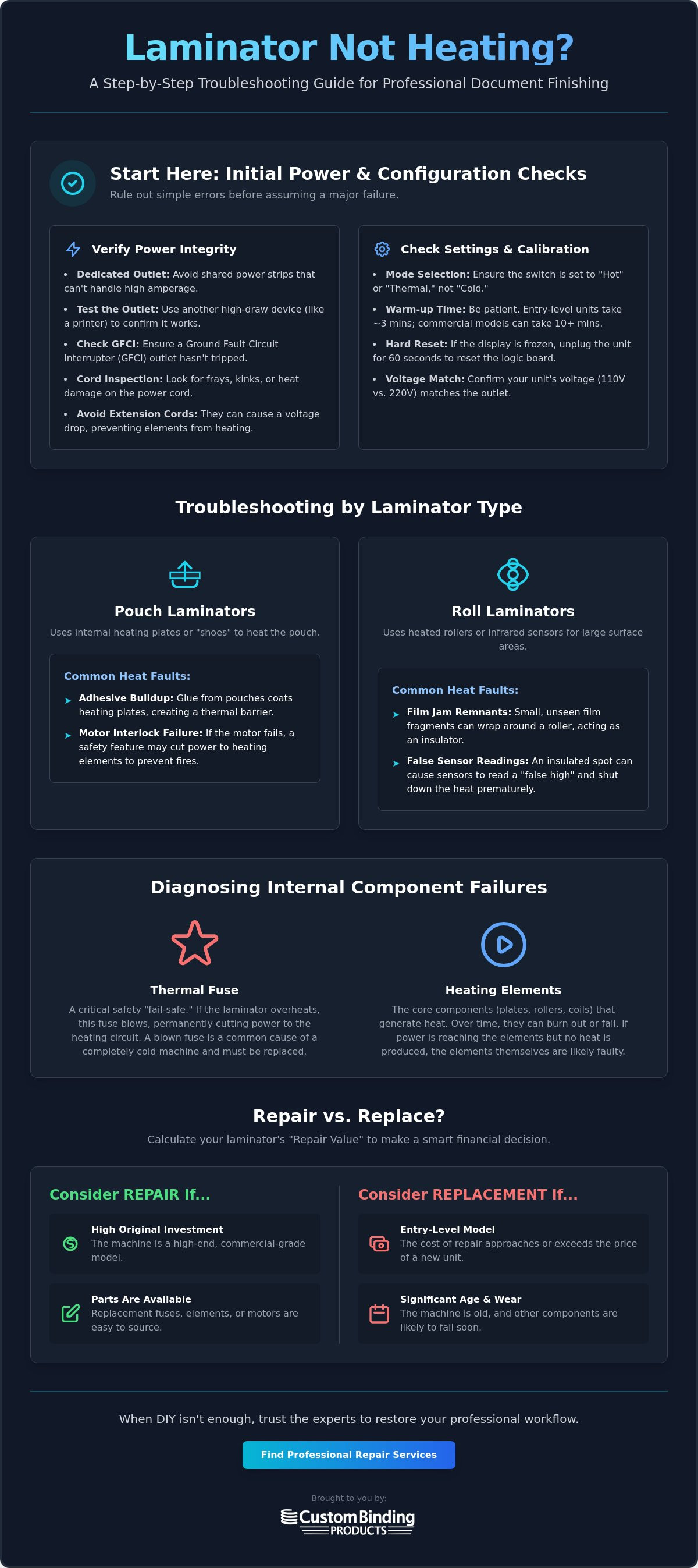
Before you consider internal repairs, start by examining the external environment of your equipment. A machine that fails to reach operating temperature often points to a power delivery issue rather than a total mechanical breakdown. Professional-grade laminators require a stable, high-amperage flow to activate their heating circuits. If your device is plugged into a shared power strip or a circuit crowded with other office machinery, it may not receive the current necessary to trigger the thermal elements.
The process of troubleshooting a laminator that's not heating should always begin at the wall outlet. Check if the machine is connected to a Ground Fault Circuit Interrupter (GFCI) outlet that has tripped. These safety devices are sensitive to the high current draw typical of thermal equipment. Additionally, modern machinery often features a "Ready" light that signals the rollers have reached a baseline temperature, but this light can be misleading. It often indicates that the sensors have detected heat, not necessarily that the rollers have reached the specific density required for your film. Gaining a deeper understanding the lamination process reveals that heat must be uniform across the entire roller surface to ensure a professional, bubble-free bond.
Verifying the Power Supply and Cord Integrity
Inspect the power cable for any physical compromises. Frayed wires, sharp kinks, or visible heat damage on the plug can increase electrical resistance and prevent the heating circuit from engaging properly. Use these steps to verify power integrity:
- Test the wall outlet with another high-draw device, such as a laser printer, to ensure the circuit is live.
- Confirm that the voltage requirements of your unit match your facility's output. While many pouch models run on standard 110v circuits, high-capacity roll laminators often require 220v dedicated lines.
- Avoid using extension cords, as they can cause a significant voltage drop that hinders the heating element's performance.
Calibration and Temperature Setting Errors
Systematic configuration errors are frequently mistaken for hardware failure. Ensure the toggle switch is set to "Hot" or "Thermal" mode; it's a common oversight to leave a machine in "Cold" or "Pressure" mode after a previous project. Patience is also a factor. While entry-level units might warm up in three minutes, commercial models often require 10 minutes or more to stabilize. If your digital interface displays an error code or appears frozen, perform a hard reset by unplugging the unit for 60 seconds. This simple action often clears the logic board's memory and allows the thermostat to recalibrate, putting you back on track toward a polished, professional presentation.
Troubleshooting Heat Issues by Laminator Type
Professional document finishing relies on consistent thermal transfer, yet the mechanical path to that heat differs by machine class. Pouch laminators generally utilize internal heating plates or "shoes" that sandwich the film as it passes through. In contrast, commercial roll units often feature sophisticated heated rollers or infrared sensors to manage temperature across a wider surface area. When you're troubleshooting a laminator that's not heating, identifying which system your machine uses is the first step toward a functional solution.
One often overlooked cause of cold rollers is a previous film jam. If a small fragment of film remains wrapped around a roller or stuck against a heat shoe, it can act as an insulator. This prevents the heat from reaching the sensor or, conversely, causes the sensor to read a "false high" and shut down the element prematurely. While the principles of troubleshooting small appliances apply here, the precision required for professional lamination demands a more specialized eye for detail. If you suspect a mechanical blockage, clearing the path is vital before testing the thermal circuit again.
Pouch Laminator Specific Faults
Pouch units are susceptible to adhesive migration. Over time, glue from Laminating Pouches can seep out and coat the heating plates. This buildup creates a thermal barrier that prevents the pouch from sealing correctly. Additionally, many modern units include a safety interlock linked to the motor. If the motor fails to turn the rollers, the logic board may cut power to the heating elements to prevent a fire hazard. Listen closely when you power on the unit; silence from the motor often explains why the heat never arrives.
Roll Laminator Heating Challenges
High-capacity machines like the Tamerica Optimus-450 or Akiles models face different stressors. These units frequently use infrared sensors to monitor roller temperature. If these sensors become clouded with dust or film residue, they can't provide accurate data to the thermostat, leading to inconsistent heating or total failure. Check the wiring harnesses at the end of the roller shafts. The constant rotation and vibration of commercial use can occasionally loosen these connections. If your roll laminator remains cold despite a "ready" status, a loose wire or a dirty sensor is a likely culprit. Maintaining these tactile components ensures your equipment continues to serve as a reliable partner in your professional success.
Diagnosing Internal Component Failures: Fuses and Elements
Opening the chassis of a commercial laminator requires a shift from operational troubleshooting to technical diagnosis. If configuration resets haven't restored function, the fault likely lies within the internal thermal assembly. Before you begin, prioritize safety. Industrial laminators are high-draw appliances that can retain heat and electrical potential even after being switched off. Always disconnect the power cord and allow the unit to cool for a minimum of 30 minutes. This prevents accidental burns and ensures you're working on a stable electrical system.
The most common internal culprit in troubleshooting a laminator that's not heating is the thermal fuse. This small but vital component acts as a final fail-safe. It's designed to permanently break the electrical circuit if the machine’s internal temperature reaches a dangerous level. This often happens if a machine is left idling for hours or if a cooling fan fails. Unlike standard circuit breakers, most thermal fuses are "one-shot" devices; once they blow, they must be replaced to restore the heating cycle. You'll typically find them mounted directly to the heating element bracket or integrated into the main control board.
The Role of the Thermal Fuse
Identify the fuse by looking for a small, cylindrical component with insulated leads. In larger roll laminators, these are often positioned near the roller ends to monitor ambient heat. If you find a resettable breaker instead of a one-shot fuse, press the small button to see if it clicks back into place. However, a tripped breaker is a symptom of a larger issue, such as a motor strain or an electrical surge, that still warrants investigation to ensure long-term reliability.
Testing the Heating Element and Thermostat
If the fuse is intact, the focus shifts to the heating element and the thermostat. The heating element is the physical core of the thermal process. Over years of use, these elements can develop hairline cracks or suffer from oxidation, leading to a total loss of continuity. To verify this, use a multimeter set to the ohms setting. Touch the probes to the element terminals. A reading of "OL" or infinity confirms the element is dead and requires replacement.
The thermostat serves as the brain of the operation, signaling the control board to cycle the element on and off. A malfunctioning thermostat might "think" the machine is already at temperature, preventing the element from ever receiving power. Look for physical signs of wear, such as scorched wiring or loose thermal paste where the sensor meets the roller. Ensuring these components are in peak condition is essential for maintaining a professional, reliable document finishing workflow.
When to Repair vs. Replace Your Laminating Equipment
Deciding whether to invest in a repair or commit to a new equipment purchase is a critical business choice. While troubleshooting a laminator that's not heating often reveals a simple fix, some mechanical failures signal that a machine has reached its operational limit. You must weigh the cost of the specific part against the remaining lifespan of the unit. A logical framework for this decision is the "50% Rule." If the cost of a professional repair, including parts and labor, exceeds half the price of a new unit, replacement is often the more strategic path.
High-end brands like Rhin-O-Tuff or GBC are engineered for longevity. Their heavy-duty chassis and modular components often justify a repair even after years of high-volume service. Conversely, entry-level pouch units are frequently designed with integrated circuits that make individual part replacement difficult or impossible. Consider the cost of downtime for your San Diego operations. If a critical presentation is stalled, a repair that takes several days might be more expensive in lost productivity than purchasing a new unit for immediate use. Repairing existing machinery reduces electronic waste and preserves the familiar tactile experience of your current workflow.
Cost-Benefit Analysis of Professional Repair
Assess the specific component failure identified in your technical check. A minor thermal fuse replacement is a small investment that can extend the life of a premium machine by several years. However, a major failure in the main logic board on an aging unit might suggest that the internal wiring is nearing its natural end. Durable equipment is an investment in your professional image. Keeping a high-performance machine in service through expert maintenance is often more cost-effective than repeatedly buying lower-quality replacements that lack the same craftsmanship.
Signs It's Time for an Equipment Upgrade
Technical failure isn't the only reason to consider an upgrade. Your business needs may have outgrown your current hardware. If your team requires faster throughput or the ability to handle wider roll laminating film, a modern unit will remove friction from your preparation tasks. Older legacy units also lack the advanced safety features and energy-saving modes found in current models. If you find yourself frequently troubleshooting a laminator that's not heating, it's a clear indicator that the internal components are fatigued. Upgrading to a new system ensures your document finishing remains a seamless part of your professional success.
Explore our selection of professional laminating equipment to find a durable solution that matches your current production volume.
Professional Laminator Repair Services in San Diego
When manual troubleshooting a laminator that's not heating reaches its limit, the next logical step is to consult with a seasoned specialist. Custom Binding Products has provided specialized repair expertise to the San Diego professional community since 1988. We understand that your laminating equipment is more than just a utility; it's a critical tool for storytelling and brand presentation. Our technicians approach every service call with the quiet confidence of industry veterans who have seen nearly every mechanical failure imaginable over the last few decades.
For many organizations, transporting a high-capacity roll laminator for service is simply not feasible. Large units like the Tamerica Optimus-450 or Akiles models are heavy and precision-calibrated. Moving them risks further damage to the internal chassis or optical sensors. We prioritize on-site service throughout the San Diego area to eliminate this friction. We bring the diagnostic lab to your office, allowing for a real-time assessment of your equipment within its actual operational environment. This methodical approach ensures we identify the root cause of the failure, whether it's a faulty sensor or a compromised heating circuit.
Our On-Site Repair and Maintenance Process
Our diagnostic process is methodical and transparent. We begin by verifying the electrical path from the power source to the heating elements, ensuring that every safety fail-safe is functioning as intended. If a component like a thermal fuse or a control board requires replacement, we utilize OEM-compatible parts to ensure long-term reliability and durability. This commitment to quality reflects our belief that a repair should restore the machine to its original factory standards. You can request a quote for your specific brand and model to understand the scope of work before the technician arrives at your facility.
Preventative Maintenance for Professional Laminators
Reliability is built through consistent care. Many heating failures are preventable with a structured maintenance schedule. Over time, adhesive residue and dust accumulate on heat shoes and rollers, creating thermal barriers that stress the heating elements. Regularly cleaning these surfaces ensures even thermal distribution and prevents the logic board from overcompensating. Our technicians also check for vibration-related loosening in internal wiring, a common issue in high-volume production environments. Taking these proactive steps protects your investment and ensures your equipment remains a steady hand in your busy professional environment.
Contact our San Diego repair team for a fast equipment diagnostic to resolve your heating issues and restore your professional document finishing workflow.
Restore Your Professional Document Finishing Workflow
Your document presentation is often the first tactile impression a client has of your work. When equipment failure threatens that standard, a systematic approach to troubleshooting a laminator that's not heating can save both time and resources. By starting with external power verification and moving through specific component diagnostics like thermal fuses and heating elements, you can determine if a simple reset or a professional intervention is required. Understanding the repair value of your machinery ensures you make an informed decision that supports your long-term operational efficiency.
If your internal checks indicate a deeper mechanical fault, our team is ready to assist. Custom Binding Products has served the San Diego professional community since 1988, providing the reliable expertise needed to maintain a seamless workflow. As an authorized dealer for industry leaders like Akiles, Rhin-O-Tuff, and Tamerica, we offer specialized on-site technical support tailored to your specific equipment. Schedule a Professional Laminator Repair in San Diego today to restore the precision and durability your brand deserves. Your equipment is an investment in your success, and we're here to ensure it continues to perform at its peak.
Frequently Asked Questions
Why is my laminator 'Ready' light on but the machine is still cold?
This usually indicates a sensor malfunction or a "false high" reading. The internal temperature sensor may be clouded with adhesive residue or dust, causing it to signal the logic board that operating temperature has been reached even if the heating element hasn't engaged. If you are troubleshooting a laminator that's not heating, a glowing "Ready" light paired with cold rollers is a classic sign that the communication between the sensor and the heater is broken.
Can I replace a blown thermal fuse myself?
While replacing a fuse is technically possible, we recommend professional installation for industrial equipment. These safety components are often integrated into the internal wiring or soldered onto the control board. Improper installation can bypass critical safety fail-safes and create a fire hazard. For high-value machines like those from Rhin-O-Tuff or Akiles, a specialist ensures the correct OEM-compatible part is used and the thermal circuit is properly recalibrated for safe operation.
How long should a professional roll laminator take to heat up?
Professional roll laminators typically require between 10 and 20 minutes to reach a stable operating temperature. High-capacity models like the Tamerica Optimus-450 have dense rollers that need significant time to heat uniformly from the core to the surface. It's vital to wait for the full preheat cycle to complete before starting a project. Rushing this process results in inconsistent adhesive bonding and a tactile finish that lacks a professional, polished appearance.
Will leaving my laminator on all day cause it to stop heating?
Yes, leaving the unit on indefinitely can cause the thermal fuse to blow. Most professional machines are designed for high-volume use, but prolonged idling without film passing through can lead to excessive internal heat buildup. This heat eventually triggers the thermal fail-safe to prevent damage to the rollers or the chassis. To preserve the lifespan of your equipment, turn the machine off or use "standby" mode when it's not actively in use for more than an hour.
What are the signs that my heating element is burnt out?
The primary indicator is a total lack of heat despite the machine having power and being set to a thermal mode. You can verify this by checking for electrical continuity with a multimeter; a reading of infinity confirms the element is broken. Physical signs include visible cracks in the heating plate or dark discoloration on the element's surface. If your troubleshooting a laminator that's not heating points to the element, professional replacement is necessary to restore your finishing workflow.
Does the thickness of the laminating film affect the heating requirement?
Yes, film thickness is a primary factor in temperature settings. Standard 1.5 mil or 3 mil roll laminating film requires a lower heat setting than heavy-duty 5 mil or 10 mil pouches. Thicker materials act as a greater thermal sink, requiring more heat and a slower throughput speed to ensure the adhesive reaches its melting point. Always consult your film manufacturer's specifications to match your machine's temperature output to the specific density of the material you're using.
Is it worth repairing a pouch laminator that cost less than $100?
In most cases, it is more cost-effective to replace entry-level pouch units. The labor rates for professional repair often exceed the original purchase price of a consumer-grade laminator. These machines are frequently built with integrated components that aren't designed for individual part replacement. However, if you own a professional-grade pouch laminator from a brand like GBC, the durability of the motor and chassis often justifies the investment in a new heating element or logic board.
Where can I find laminator repair services in San Diego County?
Custom Binding Products provides specialized on-site repair and maintenance throughout San Diego County. Since 1988, we've acted as a trusted partner for local businesses, offering technical support for commercial roll and pouch units. Our technicians are factory-trained to handle equipment from Akiles, Rhin-O-Tuff, and Tamerica. We bring the diagnostic tools directly to your office to minimize downtime and ensure your document finishing workflow remains efficient, reliable, and deeply organized.
Recent Posts
-
Upgrading Your Office Binding System: The 2026 Professional Guide
Did you know that switching from a manual punch to an electric binding machine can save your team …Jun 27th 2026 -
Professional Wire Binding Supplies in San Diego: Your 2026 Essential Guide
Imagine handing a potential client a thick, high-value report, only for the pages to snag because …Jun 26th 2026 -
Best Binding Method for Professional Reports: A 2026 Executive Guide
The physical feel of your document often speaks louder than the data on the page. In a high-stakes …Jun 25th 2026